Category: News

  • Camera flash : When to use it and when not to use it ?

    Camera flash : When to use it and when not to use it ?

    The flash is one of the first settings you learn about in photography. Often activated by default, it can completely transform the mood of an image. If it is too strong, it flattens the image. If used incorrectly, it dazzles the subject or creates unflattering shadows. When used correctly, however, it can be a valuable ally, especially when there is not enough light.

    Should you always use it? In what situations should you turn it off? And above all, how do you set the flash on your camera to achieve natural, balanced lighting? This article provides step-by-step guidance to help you better understand the role of the flash, learn how to use it effectively, and avoid common mistakes.

    Everything you need to know about camera flash

    Before getting into settings and best practices, it may be helpful to understand what a flash really is. What is it actually used for? How does it work? And should you be wary of using it when lighting faces up close? This first section covers the essential basics.

    What is the purpose of a camera flash?

    A flash is primarily a source of additional light. It is designed to compensate for a lack of light in certain situations, particularly indoors or when the subject is poorly lit. It also allows you to freeze fast movement with a brief but intense flash, which is useful when capturing a scene on the fly, for example.

    Another important use of the flash is to rebalance the exposure, especially outdoors when a subject is backlit. The face remains clearly visible, even if the background is very bright.

    There are many uses for the flash. It can be used for indoor portraits, family gatherings, and group photos at the end of the day. Or even for shots in a dark environment such as a museum or theatre.

    How does a camera flash work?

    The principle of the flash is quite simple. It is a flash of artificial light, triggered at the exact moment the camera shutter opens. This illuminates the scene during the shot, without any delay.

    There are several types of flash. The most common is the built-in flash, often located above the lens on compact or SLR cameras. It is convenient, but its range is limited. For more advanced uses, you can use an external flash, which is more powerful and adjustable, often mounted on a hot shoe designed for this purpose.

    Distance plays an important role. A built-in flash effectively illuminates up to two or three metres. Beyond that, its effect diminishes. Therefore, you should not rely on it to illuminate a distant scene.

    The power of the flash can also vary depending on the model. Some allow manual adjustment, while others automatically adapt to ambient light thanks to built-in sensors.

    Does the flash damage the eyes?

    You’ve probably asked yourself this question before, especially when photographing children or animals. Don’t worry, under normal use, the flash poses no danger to the eyes. Its flash is very brief and obviously complies with all strict safety standards.

    However, there are a few precautions to be aware of. Avoid firing the flash too close to the face, especially for babies or animals that are sensitive to light. Try to maintain a safe distance of at least one metre. This is recommended to ensure soft, pleasant lighting.

    Most cameras also have a red-eye reduction mode. This mode triggers a small light before the main flash. This allows the pupil to contract and avoids the red-eye effect often seen in night-time photos.

    Should you always use the camera’s flash?

    When you’re new to photography, you tend to leave the flash on by default. However, it’s not necessary in all situations. Sometimes it can even affect the quality of the image. So how do you know when to use it and when to leave it off? Here are a few guidelines to help you decide when taking a photo.

    When should you use the flash on a camera?

    The flash is useful when there is not enough natural light to properly illuminate the subject. This is typically the case for indoor photos, in a dimly lit room or in the evening. It is also recommended when taking a backlit portrait, so that the face is not too dark compared to the background.

    Another example is a moving subject in a dark environment. The flash freezes the movement and reduces blur, which is useful at parties or indoor events. It can also help in museums or enclosed spaces if the ambient light is not sufficient to expose the scene properly.

    In summary, the flash is mainly used in situations where the light is too low or poorly directed to achieve a balanced result.

    Does flash make photos sharper?

    In some situations, yes. Flash freezes motion by illuminating the subject at the precise moment the image is captured. This reduces blur caused by small movements, slight camera shake, or a moving subject.

    But be careful, flash is not a miracle solution. It does not correct a photo focus problem. If the focus area is set incorrectly, or if the camera is too close to the subject, the photo may still be blurry.

    To improve sharpness, it is best to combine the flash with good framing, a precise focus point and the correct distance between the camera and the subject.

    Can you take photos at night without a flash?

    It is entirely possible. The flash is a help, but it is not essential in all night scenes. There are other technical solutions for taking a successful night photo.

    For example, you can use a camera tripod. This stabilises the image during a long exposure, without blurring. You can also increase the ISO sensitivity to capture more ambient light, or choose a well-lit location.

    When taking indoor photos, it’s a good idea to set up lighting for indoor photography. A soft lamp or natural light near a window is often enough to avoid using the flash while maintaining a beautiful atmosphere.

    The flash is still useful when the scene is really too dark, but it’s not always necessary. It’s best to use it judiciously, depending on the desired effect.

    Using the flash properly: the right settings on your camera

    Mastering the use of flash isn’t just about knowing when to activate it. It’s also about understanding how to adjust it according to the scene. Most cameras today offer several flash modes. But you still need to know how to identify them and choose the one that best suits the situation. Here are some practical tips to guide you in everyday use.

    How do you use a camera flash?

    On a compact or hybrid camera, the flash is often represented by a lightning bolt icon. Depending on the model, it can be found in the main menu or on a dedicated button. Clicking on it usually gives you access to several operating modes.

    Here are the main ones:

    Automatic mode: the flash only fires if the camera detects a lack of light. This is the mode most commonly used by beginners.

    Forced mode: the flash is activated for every photo, even if the scene appears bright. This setting is useful, for example, in backlighting.

    Off mode: the flash remains off, even in dark conditions. This is a deliberate choice to achieve natural lighting.

    Red-eye reduction mode: this setting triggers a pre-flash before the shot is taken. It reduces red reflections in the pupils when taking portraits.

    Each mode can be useful, provided it is chosen according to the scene. The best approach is to test them, compare the results, and adapt according to the desired effect.

    How do you set the flash for a particular scene?

    There is no single setting that works in all circumstances. The flash should be adjusted according to the ambient light, the distance to the subject, and the type of photo you want to take.

    For an indoor portrait, the right thing to do is to activate the flash with red-eye reduction mode. This illuminates the face without a shiny or harsh effect. You can also take a step back to avoid the light being too strong.

    Outdoors, when facing backlighting, it is advisable to switch to forced mode. The flash then balances the dark areas of the face with the bright background. This gives a softer result, without black silhouettes.

    In both cases, don’t hesitate to check the image after shooting. If you are not satisfied with the result, you can adjust the position of the subject or change the shooting angle.

    Should you use the camera’s flash?

    There is no hard and fast rule. Whether or not to use the flash depends primarily on the scene you are photographing. In a dark room, it can prevent photos from being too dark indoors. But in soft light, it can also flatten shadows and detract from the natural look of the shot.

    It is therefore important to learn to observe the light before taking a picture. If the subject is well lit by a natural light source, there is no need to add a flash. Conversely, if it is poorly exposed or the colours appear dull, a light flash can make all the difference.

    A good tip is to adjust the white balance. This helps to harmonise skin tones and ambient colours, especially when using a flash indoors. This small adjustment significantly improves the result, without having to retouch the image afterwards.

    What if you prefer a removable flash?

    In some cases, a removable flash can offer more freedom than a built-in flash. It allows you to better direct the light, avoid harsh shadows, and create softer lighting. This is an interesting option for those who want to improve their photography skills while keeping things simple.

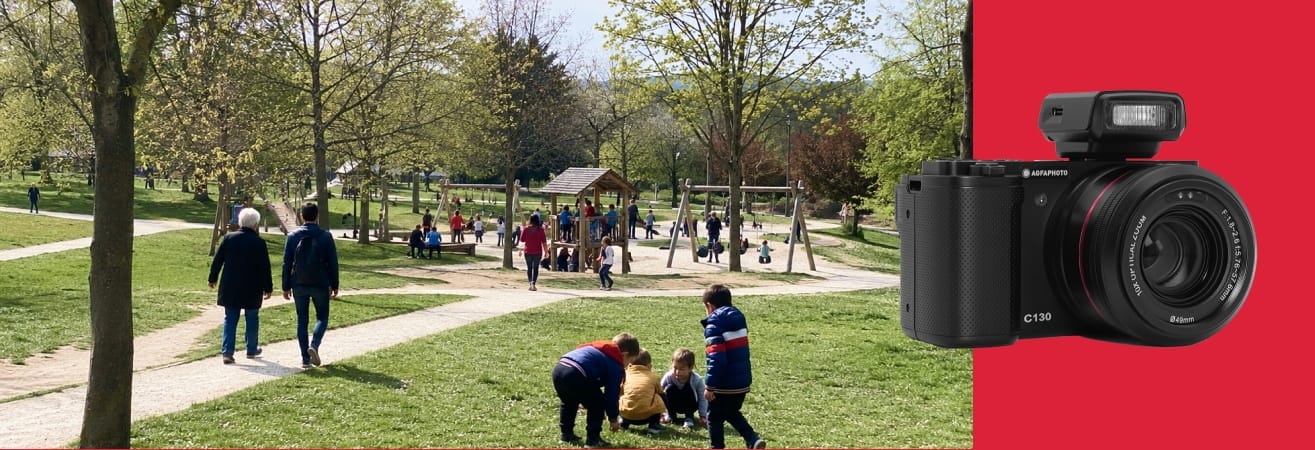
    For example, the AgfaPhoto Realishot C130 has a hot shoe. This allows you to attach an external flash directly to the camera. The C130 combines automatic and manual settings, a CMOS sensor and a 2.8-inch tiltable touchscreen, making it a versatile camera for both photos and videos.

    It’s a good transition for users who want to go a little further in light management without getting too technical.

    Similarly, the range also includes the Realishot C110, designed for those looking for a simple, modern and easy-to-use compact camera, while enjoying a more creative approach with compatible accessories.

    This type of camera is a real bridge between beginner photography and more advanced practice, while remaining accessible and fun.

    Learning to master the flash, step by step

    A camera flash is neither an accessory to be avoided nor a tool to be used systematically. It is a valuable aid, provided you know when and how to activate it. By learning to read the light, adjust the basic settings and test different modes, anyone can gain confidence and creativity.

    What matters is not mastering everything at once, but observing, experimenting and progressing at your own pace. Whether it’s to correct a scene that’s too dark, highlight a face or freeze a movement, the flash can help you in many situations. You just need to take the time to get to know it.

  • Cheap cameras for beginners : The best choices

    Cheap cameras for beginners : The best choices

    Getting started in photography is an exciting adventure. But when you’re just starting out, it’s not always easy to know where to begin. Between technical terms, overly sophisticated models and sometimes daunting prices, choosing a camera can quickly become a headache.

    Good news! Today, there are cameras that are affordable, easy to use and perfectly suited to beginners. You don’t need to spend a fortune to get high-quality images. With the right guidance and a few tips, anyone can find a reliable, practical and affordable camera.

    In this article, we’ll review the essential needs of beginners. We’ll also look at the criteria you need to know to make the right choice and, above all, the best models at affordable prices. Everything you need to learn photography with confidence.

    How can you get started in photography without breaking the bank?

    When you’re new to photography, you often have a thousand questions in your head. Do you need an expensive camera to take beautiful pictures? Which features are really useful when you’re starting out? And above all, how can you make the right choice without exceeding your budget? This first section will help you see things more clearly, step by step.

    Which camera should you buy when you’re just starting out?

    When you’re starting out, what you’re looking for above all else is a camera that’s simple, practical and easy to use. There’s no need for an ultra-complex model. The important thing is to be able to frame your shot, take the picture and find your photos easily. A good camera for beginners should offer a reliable automatic mode, a digital zoom powerful enough to vary the shots and a clear screen for viewing your photos. Let’s not forget the built-in flash for indoor or evening shots.

    This type of model is ideal for everyday use. Capture holiday memories, immortalise a family moment, or take a few photos on a school trip. A compact format that fits easily into a bag or pocket is also a real plus for beginners.

    Should a beginner buy an expensive camera?

    It is entirely possible to get started in photography without investing in a high-end camera. On the contrary, opting for an affordable model allows you to learn at your own pace, without the pressure of damaging expensive equipment. It also gives you the opportunity to better understand your desires, habits and favourite subjects before considering a more technical purchase in the future.

    Cameras designed for beginners often include automatic options, image stabilisation and simplified navigation. These features are more than enough to help you progress step by step and develop a taste for photography. And if your passion grows, there will always be time to explore other, more advanced ranges.

    How much should you budget for a good beginner’s camera?

    For a beginner, a good camera costs between £40 and £100. This is a reasonable price range for reliable equipment with good resolution, a decent zoom and adequate battery life. In this price range, you can also enjoy a solid design and expandable memory via SD card. There may even be a few bonus features such as face detection or video mode.

    The important thing is to look for a well-balanced camera. Not necessarily the most comprehensive, but one that offers features that are really useful on a daily basis. This is what we call a camera with good value for money, especially when it comes with a certain degree of durability.

    Essential criteria for choosing an inexpensive camera for beginners

    Before buying your first camera, it’s important to know a few simple technical pointers. You don’t need to be an expert to understand what makes a good camera. You just need to identify the features that you’ll really use on a daily basis and find the options that will make it easy to use. Here’s what to look for.

    How to choose a camera for a beginner?

    When you’re just starting out, you want a camera that’s easy to use. Navigating the menus should be intuitive. The screen should be large enough and easy to read. The buttons should allow you to take pictures or activate the flash without having to go through complicated settings.

    On the technical side, there are certain features to look for:

    A 16 to 24 megapixel sensor will give you sharp images, even when printed.

    A digital zoom of at least 8x is sufficient for photographing scenes from a distance.

    Battery life is also important. A lithium battery is ideal for lasting a whole day.

    Compatibility with an SD card gives you the freedom to store several hundred photos.

    These criteria guarantee comfortable, frustration-free use and allow you to progress without being held back by technical limitations.

    What are the criteria for a good camera for beginners?

    Beyond the technical specifications, it is the user experience that counts. A good camera for beginners should offer simple but effective features:

    Automatic mode: adjusts light, sharpness and white balance without manual intervention.

    Smart flash: activates in low light without dazzling the subject.

    Anti-blur (anti-shake) system: invaluable for avoiding blurred photos when your hand shakes a little.

    Portrait mode or landscape mode: helps you capture scenes better depending on the environment.

    Finally, a good camera should be sturdy, compact and easy to carry. This allows you to use it often, whether for photos at home or on the go.

    Example: AgfaPhoto Realishot DC5200 Digital Camera

    The AgfaPhoto Realishot DC5200 model is an excellent example of a camera designed for beginners. It ticks all the important boxes. It has a resolution of 21 megapixels, an 8x digital zoom, a 2.4-inch screen, a rechargeable lithium battery and the ability to shoot HD video

    It also includes useful features for beginners such as face detection, burst mode, self-timer and anti-shake system, which prevents blurry photos. Compatible with SD cards up to 64 GB, it offers ample storage capacity to accompany users on their first photographic adventures.

    It strikes a good balance between ease of use, adequate performance and reasonable price. A true companion for taking your first steps in photography, without any hassle.

    A selection of cameras suitable for small budgets

    When looking for a camera to get started, it’s reassuring to be able to rely on models that have already proven themselves. Some are perfectly suited to specific needs. Holiday photos, family memories, first creative attempts or unique events. Here are a few usage profiles to help you find the right camera for you, without spending more than £100.

    What is the best easy-to-use camera for a beginner?

    When first getting into photography, simplicity is key. This applies to curious teenagers, seniors who are comfortable with physical buttons, and families who want automatic settings. In this case, a camera that is easy to use, with a good screen and clear menus, makes all the difference.

    The AgfaPhoto Realishot DC5500 meets these expectations very well. It offers an interpolated resolution of 24 megapixels, an 8x digital zoom, and above all an anti-shake function that limits blurring, even for unsteady hands. It also features smile detection, which allows you to capture faces at the right moment, effortlessly. The camera is available for £58.37, a safe bet for beginners who want to focus on the pleasure of photography.

    What is the best camera for a beginner for less than £100?

    Some beginners like to capture their outdoor adventures, whether by the water, in the rain or even in more athletic conditions. For them, robustness is as important as image quality.

    The AgfaPhoto Realishot WP8000 is a digital camera designed for active environments. It is waterproof up to 3 metres, has a dual screen for taking great selfies even in the water, and offers a 16x digital zoom. It can take 24-megapixel photos and record videos at up to 2.7K resolution. A real bonus for capturing dynamic memories. It retails at £83.38, perfect for novice adventurers who want a sturdy, full-featured camera.

    An example of extreme simplicity: film cameras for the nostalgic

    There is also another way to discover photography. Go back to basics with a film camera. No settings, no menus, no screen. Just the moment, the light, and the shutter release. This approach often appeals to people looking for a different, more intuitive, even slightly artistic experience.

    The AgfaPhoto Film Camera, priced at £33.35, uses 35mm colour or black and white film. It is compatible with ISO 200, 400 or 800 film and has a built-in flash for dark scenes. Lightweight, discreet and with a vintage design, it is an easy way to get started in film photography.

    A beginner’s camera for special occasions or one-day projects

    Some moments deserve to be immortalised, even when you don’t have your own camera. Weddings, birthdays, festivals… For these one-off events, a disposable camera can be very handy.

    The AgfaPhoto LeBox Flash, priced at £19.17, is a ready-to-use disposable camera with a 27-exposure ISO 400 film already loaded. It is equipped with a built-in flash with a range of 4 metres, ideal for capturing intimate or festive scenes indoors or outdoors. An economical, simple and effective option for taking home unique memories.

    A beginner’s camera for those on a very tight budget

    Finally, for those who want to spend as little as possible, whether for a child, occasional use or a first test, there are reliable cameras available at low prices. These models offer the essential features for discovering photography, without any frills.

    The AgfaPhoto Realishot DC5100 offers 18 megapixel resolution, 8x digital zoom, a 2.7-inch screen, and the ability to record 720p HD video. Lightweight and compact, it is easy to carry and simple to use. Its price, £41.69, makes it an ideal gateway into the world of digital photography.

    Take the plunge with an inexpensive beginner’s camera

    Photography is a hobby that anyone can enjoy. What matters is not the price of the camera, but your curiosity, your eye, and your desire to capture the world around you. Today, it’s entirely possible to find a simple, reliable camera that suits your needs, even on a small budget.

    Whether you want to photograph your holidays, capture family moments or simply discover a new passion, there are solutions for every profile. By relying on the right criteria and choosing a camera designed for beginners, you’ll lay a solid foundation for progressing with confidence.

    Enjoying photography is above all about choosing a tool that suits you. And with a cheap camera for beginners, you can learn, experiment and improve without any constraints. All you have to do is press the shutter button.


  • How can I prevent photos from being too dark indoors ?

    How can I prevent photos from being too dark indoors ?

    Taking photos indoors is never as easy as it seems. The light is often too dim, and the shadows too pronounced. Even with a good camera, images can appear dull or underexposed.

    Why are your photos dark when the room seems well lit? It’s all a question of settings, but also of environment. Because in photography, what the eye perceives is not always what the sensor captures.

    Fortunately, there are simple solutions to increase brightness. This guide will help you understand what makes your photos dark. It will also help you adjust the right settings on your camera and improve the quality of your indoor shots without complicated equipment. The goal: to obtain sharper, brighter images that are more faithful to what you see.

    Why are your indoor photos dark?

    Before you can fix the problem, you need to understand it. Several factors can darken an image taken indoors. Insufficient light, inappropriate settings, or poorly calibrated automation. Here are the points to look out for.

    Once you identify the source of the problem, it becomes much easier to fix it.

    Why are my photos dark?

    The first cause is often the light. To the naked eye, a room may seem well lit. However, for a camera, this light may be insufficient. Light bulbs often provide lighting that is too weak or too localised. And natural light, if it is too distant or filtered, does not provide enough intensity.

    Another point to watch out for is the automatic settings. On some cameras, the exposure adjusts itself. But in a complicated environment, with strong contrasts or uneven lighting, the camera may underestimate the amount of light needed.

    Finally, it often happens that the photo is taken facing a light source. This is called backlighting. In this case, the subject becomes dark because the camera tries to compensate for the intensity of the light in the background.

    What settings should you use to make your photos brighter?

    Once you’ve identified the problem, it’s time to look at some practical solutions. This chapter will help you choose the right settings to increase the light in your photos, without necessarily having to use complicated software or equipment.

    Even with a simple camera, you can significantly improve your photos. All it takes is a few well-targeted adjustments.

    What settings should you use for indoor photos?

    If your image is too dark, the right thing to do is to review three essential settings: ISO, aperture and exposure time.

    Increasing the ISO sensitivity allows you to capture more light without changing the environment. A value between 800 and 1600 is often sufficient indoors. However, you should avoid going too high, as a high ISO can generate grain.

    The aperture also plays an important role. The larger it is (e.g. f/2.8 or f/1.8), the more light enters the lens. This allows you to maintain a decent shutter speed while improving the clarity of the image.

    Finally, the shutter speed can be slightly increased to allow more light to enter. But be careful! Beyond 1/60 s, motion blur becomes a real risk if you are shooting handheld.

    For easy practice, a camera like the AgfaPhoto Realishot DC8200 can really make a difference. This intuitive compact camera allows you to increase the ISO up to 1600, making it suitable for indoor photos, even in low light.

    How can you make photos brighter?

    One of the most direct ways to increase brightness is to manually correct the exposure. On most cameras, you can increase the exposure using the dial or menu, often labelled EV (exposure value). A correction of +0.3 to +0.7 EV may be enough to brighten the scene without burning out the highlights.

    Another useful tip is to use a light background behind or around your subject. White walls or shiny surfaces reflect light and improve overall lighting. This can make all the difference in a dimly lit room.

    Take, for example, a photo of a living room in winter. Natural light is low and the room appears dark, even in the middle of the day. By slightly increasing the exposure and placing the subject facing the window, the scene immediately becomes brighter. A simple white blanket on a sofa or a light-coloured tablecloth on a table can also accentuate this impression.

    How can you brighten a very dark image?

    In interior photography, it is always better to anticipate than to correct a photo that has already been taken. Even though some software programs allow you to recover an underexposed image, you will get a better result by adjusting the right settings from the outset.

    One point that is often overlooked is the white balance. If it is set incorrectly, the camera may compensate by darkening the photo, especially under artificial lighting. A well-adjusted white balance preserves natural tones, which visually enhances the clarity of the image.

    If the light is still insufficient, you can also add a soft light source, such as a ring light discreetly placed in a corner. It diffuses even light without creating harsh shadows. This is a simple solution, especially for portraits taken in an office or bedroom.

    What are the flash settings for indoor photography?

    The flash can help, but it must be set correctly. If used too strongly, it flattens volumes, whitens faces and casts unflattering shadows. However, when used in the right amount, it is a very useful tool.

    On most cameras, you can manually lower the flash intensity. This option is often found in the main menu or via a dedicated button. Reducing the power allows you to maintain a good level of light while keeping a more natural look.

    There is also an important difference between a built-in flash and an external flash. The former is convenient, but often direct. The latter is more versatile and can be directed towards a wall or ceiling to obtain a much softer, reflected light.

    Let’s take a concrete example: a family photo indoors, in a dimly lit room. By lowering the flash intensity and directing it slightly towards a light-coloured wall, you soften the lighting while keeping faces sharp and well exposed. This avoids overly harsh effects and gives a warmer image.

    Improve the quality of your photos without software

    It’s not all about technique. The environment and framing also play an important role.

    Good natural light, a thoughtful room layout, or a change of perspective can make all the difference, even without touching the camera. Here are some simple tips to improve your photos, even without editing.

    How can I improve the brightness of a photo?

    Before you even press the shutter button, observe the light. Try to identify the main light source. A window, a lamp, a door opening onto another, brighter room. Position your subject so that it captures this light without being backlit.

    Another often overlooked point is the focus of the photo. If the camera focuses on a dark area, it may adjust the exposure incorrectly. Instead, focus on a well-lit area, such as the subject’s face or a well-lit object.

    Finally, you can reflect the light using an element already present in the room. A mirror, a light-coloured painting, or even a white piece of furniture can be enough to reflect a little light onto the subject. These visual details often bring a natural balance to the photo.

    How can you brighten a dark photo without software?

    It is entirely possible to brighten an image as soon as you take it, without having to retouch anything afterwards.

    Start by setting the exposure directly on the camera. Even a simple model often offers exposure correction, accessible via a menu or shortcut. In addition, you can also increase the ISO moderately to enhance sensitivity without degrading the image, as mentioned above.

    Changing your position in the room can also alter the light captured. If you are shooting from the front, move a few steps to bring in side lighting, which is often softer and more flattering. This small change can be enough to rebalance the brightness without touching the settings.

    For those looking for an affordable and easy-to-use camera, the Realishot DC5200 from AgfaPhoto is a very good option. Lightweight, it goes up to ISO 400 and offers decent performance in low-light photography. It’s perfect for practising without stress.

    How can you take beautiful interior photos?

    A successful photo also depends on its composition. It is therefore essential to pay attention to the framing of a photo. Avoid areas that are too dark or cluttered and place your subject in a bright, well-ventilated area. This improves the readability of the image and guides the eye.

    Choose the brightest hours of the day. Between 10 a.m. and 4 p.m., natural light is more generous, even in winter. Open curtains and shutters and let in as much light as possible.

    Finally, consider slightly rearranging the space around the subject. Move a lamp that is creating an annoying shadow, move a dark piece of furniture, or reposition a secondary light source. These small adjustments are simple, but they have a real impact on the quality of the final image.

    Taking great indoor photos, even without perfect lighting

    Taking photos indoors requires a little adaptation, but it’s not impossible. By taking the time to observe the light, adjust the basic settings and optimise your environment, you can quickly improve your images.

    Whether it’s a simple exposure adjustment, good positioning or choosing the right equipment, every detail is important. Even without professional equipment, you can achieve brighter, more natural and balanced photos.

    And as always in photography, practice makes perfect. The more you experiment, the better you will understand how your camera reacts to different conditions. It is this attentive eye, rather than perfect lighting, that will help you improve.

  • White balance: Why are some photos blue or yellow ?

    White balance: Why are some photos blue or yellow ?

    You’ve probably taken a photo and noticed that it looks strange. The white turns yellow. The sky, although clear, looks blue. This discrepancy is not necessarily due to your camera, but often to an essential setting: white balance.

    In photography, light does not always have the same colour. It can be warm, cool or neutral, depending on the location and time of day. The human eye adapts naturally, but the camera needs to be guided.

    Mastering white balance allows you to avoid annoying colour casts and achieve colours that are closer to reality. This guide explains in simple terms how it works, why your photos change colour, and how to adjust the settings to stay in control.

    White balance and its impact on your photos

    To correct a photo that is too blue or too yellow, you first need to understand where the problem comes from. White balance is an often overlooked but essential setting. It directly affects how your camera interprets light. Even a slight error in the setting is enough to change the mood of an entire image.

    What is white balance in photography?

    White balance allows your camera to adjust colours according to the ambient light. Each light source emits a different hue. A candle, a light bulb, an LED lamp, and daylight do not have the same colour.

    The human eye automatically adapts to these variations. A white wall appears white, regardless of the light. But a camera needs a reference point. Without precise settings, it may interpret white as bluish or yellow.

    This reference point is your camera’s white balance. It adjusts all the colours so that the shades remain true to reality, especially neutral tones such as white and grey.

    How does white balance affect the colours in a photo?

    Light can be warm or cool. This is referred to as colour temperature, measured in Kelvin. Warm light, such as that from a filament bulb, tends towards orange. Cold light, such as a cloudy sky or neon lighting, tends towards blue.

    If the white balance is set incorrectly, these hues can be amplified. A face photographed in warm light without correction can turn orange. Conversely, a photo taken in the shade without adjustment can result in a pale, almost blue complexion.

    Errors are particularly noticeable on neutral tones. Whites become cream, greys take on a bluish tint. Even bright colours can look off. Without a good reference point, the camera does its best… but it often gets it wrong.

    Why are photos yellow?

    A yellow cast often appears when shooting indoors. Conventional lamps emit warm light, around 2700 to 3200 Kelvin. This light is pleasing to the eye, but the camera may perceive it as too orange if the white balance is not adjusted.

    In this case, whites tend towards yellow and colours lose their natural brightness. This can happen even in automatic mode. This is particularly true if the light comes from a single source, such as a small bedside lamp or ceiling light.

    This phenomenon is common in everyday scenes, such as a family dinner or a dimly lit atmosphere at the end of the day. To avoid this, it is important to manually adjust the white balance or choose a mode suitable for artificial light.

    Why are my photos blue?

    Conversely, some images appear too cold. This often happens outdoors on cloudy days, or indoors under LED lighting with a ring light that is incorrectly configured, for example. These conditions produce a high colour temperature, sometimes exceeding 6000 Kelvin.

    If the camera does not adjust the white balance correctly, the entire photo takes on a bluish tint. Skin tones become dull, whites take on a metallic hue, and the overall atmosphere seems distant.

    This problem is also common when shooting at night. Multiple light sources (street lamps, shop windows, street lighting) interfere with automatic analysis. To maintain natural colours, it is best to switch to manual mode and choose a lower colour temperature. Alternatively, use a neutral reference to balance the scene.

    Which white balance setting should you use for different shooting situations?

    White balance is not set in the same way in all conditions. Daylight, indoor lighting, night-time atmosphere… each situation influences colours differently.

    Here are some useful guidelines for adjusting your settings according to the environment and achieving a more natural look.

    What white balance should you use indoors?

    Taking photos indoors, such as family photos, requires a little attention. Unlike daylight, artificial lighting varies greatly from room to room. A halogen bulb, a cool white LED, and a yellow bedside lamp do not emit the same colour temperature at all.

    These differences directly influence the colour of whites in your photos. Light that is too warm will make the image appear yellow, while LED lighting can create a blue cast that is sometimes difficult to correct later.

    It is therefore important to identify the main source of light in the room. If you are near a window, natural light may dominate. If you are far away or in the evening, artificial lighting will take over. In this case, don’t hesitate to manually set the white balance to a ‘light bulb’ or ‘artificial light’ mode offered by your camera. Some models even allow you to choose a specific temperature, which offers more flexibility.

    Finally, keep in mind that the overall atmosphere plays a role. A dark room with coloured walls or dark furniture can influence the result. It’s always best to test one or two images to adjust the settings before you start shooting in earnest.

    What white balance should you use at night?

    Night scenes are often problematic because they combine several light sources, such as street lamps, shop windows, car headlights, and ambient lighting. Each has its own hue, and the camera may have difficulty interpreting this diversity.

    If you use automatic mode, it is common for the image to have a blue cast, especially when the scene is dimly lit. To avoid this effect, you can select a mode that is suitable for the ambient light. Some cameras offer a ‘tungsten’ or ‘city light’ option that is well suited for night-time photography.

    Another option is to switch to manual mode and choose a temperature of around 3000 to 3500 Kelvin. This will warm up the image slightly without altering the contrast.

    Finally, if you have a little time, take a test shot and check the skin tones, whites and dark areas. A simple adjustment can sometimes be enough to balance the entire scene.

    How do I know if my white balance is correct?

    Even if the image appears to be well exposed overall, certain colours may indicate an imbalance. To find out if your white balance is correct, start by looking at the neutral tones in the photo. These are white, grey or slightly beige objects.

    If they appear true to life, your setting is probably correct. On the other hand, if they appear yellow or blue for no reason, an adjustment is necessary.

    Another clue can be found in the skin tones. If they appear dull or too cold, the white balance may be too high. If they appear orange or too saturated, it is probably too low. Also remember to check the photo focus.

    A blurry or unclear image can distort the perception of colours, especially on faces.

    The best way to check is still to view the image on your camera’s screen. Zoom in slightly on a neutral area or a face. Take one or two more shots with a different setting and compare them. This little test will help you find the right balance without having to use software to retouch the image.

    How to set the white balance correctly on your camera?

    Understanding the theory is essential. But you still need to know how to apply these settings when taking the photo.

    Good news! Most cameras, even simple models, now allow you to adjust the white balance easily. Here’s how to do it, step by step, depending on your needs and skill level.

    How to do a white balance?

    The quickest solution is to use the preset settings in your camera’s menu. These modes correspond to different light sources: daylight, shade, cloudy, tungsten lighting, neon lighting, and flash.

    These profiles are designed to automatically correct the colour cast according to the environment. They work well in many cases, provided the scene is not too complex. The automatic mode, which is often enabled by default, adapts itself to the light perceived by the sensor.

    But automation has its limits. It can be wrong if the light is mixed or if the main subject is surrounded by dominant colours. In these cases, manual adjustment becomes more reliable. You can then choose a more precise mode or enter a specific colour temperature, if your camera allows it.

    How do you find the white balance value?

    Some cameras let you adjust the white balance in degrees Kelvin. This value corresponds to the colour temperature of the light. The lower the number, the warmer the light (leaning towards yellow). The higher the number, the cooler the light (leaning towards blue).

    Here are some simple guidelines:

    2500 to 3200 K: for warm lights, such as incandescent bulbs

    4000 to 5000 K: for LEDs or mixed lighting

    5500 to 6500 K: for daylight or outdoors

    7000 K and above: for very shaded scenes, in low light or at the end of the day

    If you are unsure, start with an average value (e.g. 5000 K), then adjust gradually while viewing the result on the screen. You will immediately see if the image becomes too cool or too warm.

    How can you achieve perfect white balance every time?

    For very accurate results, the best method is still manual adjustment with a neutral reference. This involves photographing a white or grey surface under the same light as your subject. Then ask the camera to use this image to calibrate the colours.

    Some compact cameras and hybrid cameras offer this feature. Go to the custom white balance menu, photograph your neutral surface, and then confirm this point as a reference. A sheet of white paper or a grey chart will do the trick.

    Beyond the settings, good habits when taking the shot can make all the difference. Take a few seconds to observe the light, identify any sources of interference, and test one or two modes before shooting. This anticipation will help you get more accurate images without having to retouch them afterwards.

    Achieve accurate colours with white balance

    A successful photo, in addition to its framing, is also a photo with accurate colours. If it is too yellow or too blue, the image loses its natural look and no longer reflects what you actually saw.

    By simply adjusting the white balance, you can take control of how your images look. Whether you use automatic adjustment, a Kelvin value or a manual reference, there are several ways to correct the hue depending on the ambient light.

    With a little observation and a few tests, you’ll quickly learn to identify the right conditions and choose the right setting. And the more you get into the habit of thinking about this when taking photos, the more balanced, accurate and realistic your photos will become.

  • Film photography : how to use it correctly ?

    Film photography : how to use it correctly ?

    Film photography means taking your time. Time to frame the shot, wait for the ideal light, and shoot with awareness. It also means rediscovering a forgotten sensation: the surprise when you develop your film.

    But even if you’re keen to give it a go, it can be intimidating to take the plunge. Which film should you choose? How do you load it? And above all, how do you avoid messing up your first shots?

    Don’t worry. Film photography isn’t just for professionals. With a few clear guidelines and the right techniques, it’s accessible to everyone. This guide takes you step by step, from selecting the film to using it. The goal? To give you the keys to enjoying photography with confidence.

    Everything you need to know about film before you get started

    Before you load your first roll of film, it’s important to learn a little theory. Knowing what film is, how it works, and the major differences between the types available will help you avoid unpleasant surprises. These basic technical concepts, although simple, will help you choose the right film and take better photos. It will also boost your confidence by giving you concrete guidelines from the very first shots.

    What is film and how does it work?

    Film is a flexible strip covered with a thin chemical layer. This layer is sensitive to light. It is this layer that captures the image when you press the shutter button.

    When you take a photo, light enters the lens and hits the film. The light-sensitive particles then react, creating what is known as a ‘latent image’. This image is invisible to the naked eye. To make it visible, it must be developed in a laboratory or at home. This chemical process transforms the captured information into a real image.

    Each roll of film can only be used for a certain number of exposures. Once finished, it cannot be reused. It must be rewound and removed from the camera for development.

    What is the sensitivity of film? What is the difference between 100, 200 and 400 film?

    Not all film reacts to light in the same way. This is where the concept of sensitivity, expressed in ISO, comes in. Film is often available in ISO 100, 200, 400, or even higher. The higher the number, the more sensitive the film is to light.

    ISO 100 film is ideal for shooting in bright sunlight or outdoors. It offers beautiful image sharpness with little grain. Conversely, ISO 400 or 800 film is better suited to dark scenes, indoors or in overcast conditions. It allows you to shoot with less light, but the grain becomes more visible.

    For beginners shooting outdoors, AgfaPhoto APX100 Film (36 exposures) 35mm is an excellent choice. It offers sharp, detailed results, perfect for bright landscapes or scenes in daylight. Its affordable price makes it a very popular film among black and white enthusiasts.

    So, to sum up, when choosing a film, the difference in sensitivity may seem subtle. However, it has a significant impact on the final result.

    Here is a simple summary:

    ISO 100: for very bright environments (outdoors, full sunlight)

    ISO 200: for slightly more nuanced conditions (partial shade, late afternoon)

    ISO 400: for darker situations (indoors, overcast skies)

    The higher the ISO, the more grain will be present. This gives a more raw effect, often appreciated in street photography or to create a vintage feel.

    To give you another example, if you want to take portraits in natural light, AgfaPhoto Colour 400 135mm 24-exposure film is a very good compromise. It allows you to shoot handheld without blur, even when the light is low. It offers a nice grain and beautiful warm colours. It is good value for money for discovering colour.

    What types of film are there?

    There are several types of film, each with its own characteristics.

    The most common is colour negative film. This is the type found in most photo labs. It is easy to develop, and you get classic paper prints.

    Black and white film appeals to those who love contrast and timeless aesthetics. It sometimes requires special development, but allows for more precise control over the final result.

    There is also reversible film, known as slides. The image is positive from the moment it is developed and offers very accurate colours. However, it is more sensitive to exposure and requires greater precision.

    In terms of format, 35mm film is the most common. It is compatible with most film cameras. There are also medium format (120) and APS films, which are less common and reserved for more specific uses.

    If you are just starting out, GT24FILM 35mm Colour Film (24 exposures) is ideal. It’s a great way to get started, while enjoying beautiful, balanced colours. It’s easy to find and very reasonably priced.

    Choosing and handling your film: instructions for use

    Now you know what film is. The next step is to choose the right film for your needs, handle it with care and store it in the right conditions.

    Every step counts. And the more you understand the technical implications, the more you will master the craft.

    Which film should you choose for analogue photography?

    The choice of photographic film depends above all on the available light, the type of photo you want to take and the look you like. A very sunny scene, an indoor setting or an intimate portrait do not require the same characteristics.

    You also need to ask yourself whether you prefer to work in black and white or colour. Black and white accentuates contrasts and gives a more graphic feel. Colour, on the other hand, conveys more emotion in certain cases, particularly for landscapes or scenes of everyday life.

    Why put film in the fridge?

    You may have seen photographers storing their film in the refrigerator. This is no coincidence. Cold temperatures slow down internal chemical reactions. This helps preserve the film’s sensitivity and colour stability, especially if you do not plan to use the film right away.

    The ideal temperature is around 4 to 8°C. If you are storing several rolls, you can place them in an airtight box to protect them from moisture. Before using them, it is important to take them out of the refrigerator a few hours in advance so that they return to room temperature. This prevents condensation, which could damage the sensitive layer.

    However, you should never put them in the freezer, and you should certainly not expose them to sudden changes in temperature. The idea is to keep them in a stable, cool environment, not an extreme one.

    What is the shelf life of film?

    Like all chemicals, film has a shelf life. This is usually indicated on the packaging in the form of an expiry date. After this date, the film does not become unusable, but its behaviour changes.

    Colours may fade, contrast may decrease and grain may become more pronounced. Some photographers appreciate these effects for their random or vintage look. Others prefer to avoid surprises. In any case, it is best to use film within 2 to 3 years of manufacture, especially if it is stored at room temperature.

    To extend its life, store it in a dry place, away from light and high temperatures. A simple drawer, or better still, an airtight container in the refrigerator, is sufficient to preserve it well.

    Tutorial: how to load and use film

    You’ve chosen your film, now it’s time to load it. This is often where beginners go wrong. One quick movement too many, one step forgotten… and the film will not be exposed correctly. To avoid the most common mistakes, follow these step-by-step instructions. They will help you handle your camera with more confidence.

    How to load film correctly

    Start by opening the back of your camera. Most models have a small lever or release button on the side. Once open, insert your film into the slot on the left. Gently pull the tab to the other side, then engage it in the take-up spool.

    Make sure the holes in the film are aligned with the teeth of the mechanism. Turn the advance wheel to slightly tension the film. Then close the back of the camera. Advance the empty film once or twice until the counter reads ‘1’.

    A good way to learn these steps at your own pace is to use a simple camera, such as the Reusable Black Film Camera Kit + 2 35 mm Films. It contains a ready-to-use film camera and two colour films, so you can practise without any pressure. This very affordable kit is a great introduction for those who are curious.

    How can I tell if my film is loaded correctly?

    Still unsure after loading? That’s normal, especially at first. Fortunately, there are a few simple ways to check if the film is advancing correctly.

    Look at the rewind lever (often located on the top of the camera). If the film is properly engaged, it should turn slightly when you wind the film. The frame counter, located right next to it, should also advance with each shot.

    If you don’t feel any tension in the mechanism, or if the counter remains stuck, the film is probably not properly engaged. In this case, carefully open the camera (away from light), reinsert the film and start loading again.

    A little tip: use the first 2 or 3 frames as test shots. This allows you to check that everything is working properly while taking photos without any pressure.

    Why shoot with film?

    Today, film photography is attracting more and more photographers, both beginners and experienced. This is no coincidence. This type of photography imposes a different rhythm. Every shot counts. You have to think about your framing, pay attention to the light, and choose the right moment.

    This constraint becomes a strength. It allows you to slow down and rediscover a form of attention that is sometimes lost with digital photography. It also encourages you to accept imperfection and enjoy the little surprises that come with developing film.

    The result is also unique. The natural grain and the colours, which are sometimes softer or, on the contrary, very intense, give the images real personality. This is what drives many street photographers to return to film.

    This is the case for one user who is passionate about scenes from everyday life. He has rediscovered the pleasure of composing without a screen, simply by observing. His choice: AfgaPhoto Film APX100, a very faithful black and white film. It offers balanced contrast and excellent sharpness.

    Getting started with film photography

    Taking up film photography opens up a whole new world. It also means accepting a slightly different technical approach.

    By learning what film actually is, choosing the right type for the light conditions and mastering the right techniques, you’ll be off to a solid start. You’ll gain confidence with every photo you take.

    With reliable film, a simple camera and a little curiosity, you’ll be able to capture sincere, often surprising, sometimes imperfect images… but always full of character. And that’s the spirit of film photography.

  • Backup batteries for cameras : what you need to know

    Backup batteries for cameras : what you need to know

    Taking a great photo is often a matter of timing. And nothing is more frustrating than seeing a ‘low battery’ message appear just before an important moment. It’s at times like these that you realise how useful a spare battery can be.

    Often overlooked when purchasing a camera, an extra battery is an essential basic accessory. It ensures continuity, especially when shooting for long periods of time or in places where it is difficult to recharge your camera.

    But how do you choose the right one? How can you tell when a battery is worn out? And what should you do if your camera no longer charges? This guide answers all these questions in a simple way to help you stay ready to capture every moment.

    Why have a spare battery for your camera?

    When you’re new to photography, you often think about the camera body, the lens, or the memory card. But the battery sometimes takes a back seat… until the day it dies without warning. Having a spare battery isn’t a luxury, it’s a safety net. Here’s why it’s an essential accessory.

    Why have a spare battery for your camera?

    An extra battery helps you avoid unexpected power cuts, especially in the middle of a photo shoot. Even if your camera still shows a few percent of battery life, it can suddenly shut down, especially in cold weather or after prolonged use. Don’t forget to empty your memory card frequently to avoid this kind of unpleasant surprise. You never know when a memory card bug combined with a battery failure might occur.

    It’s also a good way to avoid depending on an electrical outlet. When travelling, you don’t always have the time or opportunity to recharge your equipment. A charged, ready-to-use battery allows you to continue shooting without stress.

    It is particularly useful when travelling, at a wedding, on a hike or during a film shoot, where you take a lot of photos throughout the day. Having a second one on hand ensures you don’t miss the best moments.

    How does a backup battery work?

    A backup battery works exactly like the main battery. It has the same shape, the same characteristics and is placed in the same location. In the camera body or sometimes in a camera grip if you use one.

    It should not be confused with an external battery or power bank, which is used to recharge the battery via a USB cable. However, it cannot directly power the camera while shooting (except for certain specific models).

    The idea is simple: while you are using one, the other is charging or on standby. This rotation gives you comfortable autonomy, even during long or unexpected sessions.

    How can you make the battery last longer?

    Even a spare battery can wear out too quickly if it is used incorrectly. A few simple steps can help preserve its autonomy over time.

    Start by switching off the device as soon as you are no longer using it, even for a few minutes. Leaving the screen on consumes a lot of energy. Also limit the use of the flash, which puts a heavy strain on the battery, especially in burst mode.

    If your device has an energy-saving mode, activate it. This adjusts the display and automatically puts the device into standby mode after a short period of inactivity.

    Finally, remember to recharge your batteries regularly, even if you don’t use them every day. This prevents them from completely discharging, which can reduce their long-term life.

    Identifying signs of wear and tear and resolving charging issues

    Even if you take good care of your batteries, they will not last indefinitely. Like all electronic equipment, they age, lose efficiency and may eventually stop working altogether. Here’s how to spot the first signs of wear and tear and respond to the most common charging issues.

    How do I know if my battery is at the end of its life? How do I know if my camera battery is dead?

    A battery at the end of its life is not always immediately recognisable, but there are some tell-tale signs. The most common is a rapid loss of battery life. Your device goes from 100% to 20% in a matter of minutes, even without intensive use.

    The device may also switch off without warning or restart on its own even though the battery still appears to be charged. Another indicator is that the battery no longer reaches 100% when charging, or the charging time becomes abnormally long.

    The age of the battery is inevitably a factor. In general, after 300 to 500 full cycles, performance begins to decline. If your battery is several years old, these signs are often a signal that it is time to consider replacing it.

    How can you tell if a camera battery is faulty?

    Before concluding that your battery is dead, it is useful to perform a few simple tests. Start by switching to another battery, if you have one. If the problem disappears, this confirms that the first battery is the cause.

    You can also try a different charger. Sometimes it is not the battery that is faulty, but the charger itself that is no longer supplying enough power.

    Also observe the behaviour of the battery when inserted. If it does not fit properly, heats up abnormally, or causes an error message, it is best not to use it. This may be a sign of internal damage or deformation.

    Why is my camera no longer charging?

    When your device no longer charges, it is not always easy to know where the problem lies. There could be several reasons.

    Start by checking whether the battery is still in good condition. If it is too old or too low, some devices will simply refuse to start charging.

    An incompatible or damaged charger can also prevent charging. Try using a different cable or mains adapter, especially if you are using a universal model.

    Finally, remember to inspect the battery and device connectors. Dust, oxidation or a poor connection can block the contact. A quick clean with a dry cloth or cotton bud is often enough to restore charging.

    Charging properly and choosing the right backup battery

    To keep your camera operational at all times, it’s not enough to just have an extra battery. You also need to know how to charge it properly and how to choose the right one when you buy it. Here are some useful tips to avoid unpleasant surprises and increase your daily battery life.

    How can I charge my camera battery?

    There are several ways to charge a camera battery. The most common method is to use the mains charger supplied with the device. It allows for a full charge in a few hours, often with an indicator light that shows the progress.

    Some recent models can also be charged via a USB cable, plugged directly into a computer or mains adapter. This is convenient when travelling, but can sometimes be a little slower.

    To save time, you can also use a dual charging station, which allows you to charge two batteries at the same time. This is a good investment if you often use your device for long periods of time.

    In any case, it is important to follow the charging time indicated in the manual and not to leave a battery plugged in unnecessarily once it is full.

    What criteria should be taken into account when choosing a battery?

    Not all batteries are created equal. To avoid mistakes, start by checking the exact reference of the original battery. This is usually found on the battery label or in the device manual.

    Next, compare the technical specifications: the capacity (expressed in mAh) indicates the theoretical battery life, and the voltage (in volts) must always match that of the original model. A battery with a different voltage could damage the device.

    You will have the choice between an official battery (supplied or approved by the brand) and a compatible battery (often less expensive). The latter can work very well, provided you buy them from reliable manufacturers. Always check the seller’s reviews and reputation.

    Finally, make sure that the battery is new. A battery that has been stored for too long may already have lost some of its capacity.

    By taking all this advice into account, you can avoid one of the classic mistakes made when buying your first camera.

    Small gestures that make a big difference to your camera battery

    A few simple habits can increase the life of your batteries, whether they are main or backup batteries.

    Store them at room temperature, away from humidity and excessive heat. Avoid leaving them in the car in the middle of summer or on a radiator.

    It is also advisable not to always wait until they are empty before recharging them. Regular partial recharging is better for their longevity than a full cycle each time.

    Finally, if you are going on a trip, remember to fully recharge your spare battery in advance. Having a full battery in your bag means you can continue shooting with complete peace of mind.

    A spare battery: a habit worth adopting

    Whether you’re an amateur or an enthusiast, having a spare battery for your camera makes all the difference. It gives you more freedom, more peace of mind and saves you a lot of frustration when shooting sessions go on for hours.

    With a few good habits, it’s easy to extend the life of your batteries and make the right choice when purchasing them. Taking care of this accessory means taking care of your equipment… and your memories.

    The next time you take out your camera, remember to slip a charged battery into your bag. You won’t regret it.

  • How much does an SD card for a camera or camcorder cost ?

    How much does an SD card for a camera or camcorder cost ?

    Behind every beautiful photo, there is a high-performance camera, a good lens… and often a well-chosen SD card. This small accessory, often underestimated, is nevertheless very important in the quality of your shots. It is what stores your memories, your videos, your stolen moments.

    To choose the right SD card, you need to think about how you will use it. An amateur photographer will not have the same needs as a 4K videographer or a content creator on the go. This article guides you through the different ranges available, with concrete examples to help you estimate the right budget.

    The role and types of SD cards

    Before talking about price, it’s important to analyse what an SD card is used for. This small storage device should not be chosen at random. There are several formats, each suited to a specific use. To make the right choice, it’s best to start with the basics.

    What is the role of an SD card?

    An SD memory card allows you to store photos, videos and sometimes even your device settings. It functions as external memory. Every time you press the shutter button, the data is recorded on it.

    Its write speed is essential. The faster it is, the better it can keep up with burst mode or high-definition video recording. This is particularly useful for large files such as 4K videos or RAW format photos.

    Its capacity is just as important. A casual photography enthusiast may be satisfied with 8 to 16 GB. But for intensive use or very large formats, it’s better to aim for something bigger. The choice therefore depends on your device, but also on how you use it. Family holidays, professional shoots, field reporting… everything counts.

    What are the different types of SD cards?

    There are several families of SD cards. The most common are SD (up to 2 GB), SDHC (4 to 32 GB) and SDXC (over 32 GB). There are also smaller micro versions, often used with an adapter.

    Each has its own specific features in terms of speed and compatibility. SDHC cards, for example, are widely used in standard digital cameras. They offer a good balance between size and performance.

    A good example is the AgfaPhoto 8 GB High Speed SDHC Memory Card, available for £12.50. It is ideal for basic use, such as holiday photos or occasional use with a compact camera.

    Which SD card should you choose for a camera?

    The choice of card depends first and foremost on the type of camera. A compact camera will not have the same requirements as an SLR or a camcorder. SLRs and hybrids, for example, generate larger files, especially in RAW mode or HD video. They therefore require a card that is both fast and reliable.

    It is essential to check the specifications of your camera. Some models do not read SDXC cards, or only support a certain type of speed class. A compatibility error can cause slowdowns or even recording errors.

    For versatile and smooth use, the AgfaPhoto SDHC 16 GB Camera SD Card – CLASS 10, priced at £12.50, is a very good option. It offers sufficient write speed for standard photo sequences and short videos.

    The right criteria for choosing your SD card

    The price of an SD card does not depend solely on its storage capacity. It also varies according to its speed, technology, and level of compatibility with your device. To make an effective choice, you just need to know how to spot a few key elements on the product sheet. Here’s what to look for first.

    How to choose a good SD card?

    An SD card is chosen based on its speed. This is often indicated by acronyms such as C10, U1, U3, or V30. These codes correspond to the speed at which the card can write data. The higher the speed, the better it will be able to keep up with your device in burst mode or when recording video.

    For a camera or camcorder that films in high definition, it is advisable to opt for a U3 or V30 card, which can support heavy data streams such as 4K.

    The AgfaPhoto SDXC 64GB High Speed Class 10 U3/V30 memory card, priced at £25.01, fits these criteria perfectly. It is suitable for both fast shooting and long, smooth video sequences.

    What size SD card for a camera?

    It is not always easy to estimate the space required. For standard JPEG use, a 16 or 32 GB card is often sufficient. But if you work in RAW, each file can exceed 25 MB. On a shoot of a hundred photos, the space can quickly fill up.

    Videographers must also take into account the recording time. A full HD video can weigh several hundred MB per minute. It is therefore advisable to have some leeway, especially if you do not transfer your files every day.

    A good compromise for regular use is the AgfaPhoto SDHC 32 GB Camera SD Card – CLASS 10, priced at £16.58. It can store several hundred high-quality photos or a good hour of HD video without the risk of immediate saturation.

    How can I tell if my SD card is compatible with my camera?

    Before purchasing, it is essential to check the technical specifications of your device. Some older models do not read SDXC cards or limit the capacity to 32 GB. Others require a minimum speed for uninterrupted recording, especially for video.

    You can usually find this information in the manual or on the manufacturer’s website. There you will find the maximum supported capacity, the accepted format (SD, SDHC or SDXC) and sometimes even a list of recommended cards.

    Price, lifespan and storage of SD cards according to your needs

    An SD card can cost between £10 and £30, or even a little more for highly technical models. It is not only the capacity that affects the price. Other criteria come into play, such as speed, class and brand reliability. Here’s how to tailor your choice to your budget and usage.

    How much does an SD card cost?

    The price of an SD card depends primarily on its storage capacity. An 8 or 16 GB card generally costs less than £15. For 32 to 64 GB, prices rise, especially if the card is fast and designed for video use.

    Cards labelled ‘Class 10’ or ‘U3/V30’ offer better performance. They are suitable for users who need speed, particularly for 4K or burst photography. The higher the write speed, the more reliable the card is for demanding uses.

    This is the case with the AgfaPhoto 64GB Micro SDHC Memory Card – CLASS 10, available for £22.51. It combines good capacity, decent speed and a compact format. This makes it a versatile model for recent cameras or camcorders.

    For professionals shooting in 6K or 8K, some high-end cards cost over £100, or even more depending on the brand and specifications. These models offer extremely high speeds and great stability. They are essential in demanding environments such as film shoots or field reporting.

    How much storage do you need for 1,000 photos?

    To estimate the storage required, you need to look at the average size of a photo. In JPEG format, a typical file is between 3 and 6 MB. In RAW format, the size often increases to 20 or 30 MB. For 1,000 photos, you can therefore expect to need between 6 GB (in low-quality JPEG) and more than 30 GB (in high-resolution RAW).

    Image definition also plays a role. A 12-megapixel camera does not generate the same files as a 24- or 32-megapixel camera. This is why professionals tend to opt for high-capacity cards.

    For mixed use (good quality JPEGs, a few videos), the AgfaPhoto Micro SDHC 32 GB CLASS 10 SD Camera Card, priced at £14.17, offers a convenient solution. It allows you to carry a reasonable amount of files without worrying about filling up too quickly, all at a reasonable price.

    What is the lifespan of an SD card?

    An SD card does not last forever, but it can function for several years if used properly. Its lifespan depends on the number of write and read cycles. Under normal use, this can be up to several thousand cycles.

    To extend its lifespan, it is advisable to avoid repeated erasures or systematic reformatting. You should also eject the card correctly and avoid removing it abruptly during recording.

    Storage is also important. It is best to keep your card away from moisture, dust and heat. A hard case or small protective pouch is often enough to avoid unpleasant surprises.

    How much does an SD card cost? Key points to remember

    The price of an SD card depends primarily on what you want to use it for. For occasional use, a simple 8 or 16 GB card is more than enough. If you film, store a lot of photos or work in high resolution, you will need to aim higher in terms of capacity and speed.

    The most common models range in price from £12 to £25. These are affordable prices, especially when you consider that the reliability of the card plays an essential role in the security of your files.

    Always take the time to check compatibility with your device. And remember to tailor your choice to your habits. Number of photos, frequency of use, image format. A good SD card is one that supports you without limiting you.

  • Camera tripod : How to choose one ?

    Camera tripod : How to choose one ?

    Taking a good photo is sometimes a question of stability. Even with a high-end camera, a slight shake can be enough to ruin a shot. This is where a tripod comes in handy. Indispensable for certain types of shots, it provides stable, precise and reassuring support.

    But with so many different models available, how do you choose?

    This article will help you understand the different uses, compare technical criteria and find the tripod that’s right for you. Whether you’re a portrait lover, nature enthusiast or fan of low-light photography, you’ll find simple and useful answers here.

    Why use a camera tripod?

    A tripod is often one of the first accessories people add to their photography kit. It’s not just for professionals. On the contrary, it can be very useful at all levels of photography. Before learning how to choose one, let’s look at what it’s really for and when its use becomes almost indispensable.

    What is a tripod used for?

    A tripod is primarily used to stabilise your camera. It limits unwanted movements that can blur an image, even imperceptibly. This can make the difference between an average photo and a perfectly sharp one.

    It becomes particularly useful in situations where the exposure time is long. For example, when shooting indoors, in a studio or in low light, a tripod allows you to maintain the correct exposure without having to increase the ISO. This helps you avoid digital noise.

    It is also very valuable for precise framing. In landscapes, panoramas or sunsets, it allows you to compose your image at your own pace. For portraits or product photos, it provides a stable support for creating a consistent and repeatable image.

    For what type of photography is a tripod essential?

    If you like to explore different shooting styles, a tripod will quickly become your ally. It is essential for landscape photography, macro photography, long exposures, or night scenes. All these situations require great stability, often over longer than normal exposure times.

    It’s also a real plus for portraits, especially when you’re shooting a series with children. You can then stay focused on expressions and composition without having to hold the camera. Your hands are free, which makes it easier to stage the shot and allows for more interaction.

    A tripod also plays a role in achieving a crazy background, bokeh effect. By stabilising your shot and working with a wide aperture, you can better manage the depth of field and accentuate that much sought-after blur.

    Can you do without a tripod in some cases?

    It is not always necessary to carry a tripod. If you like to take photos on the move, improvise on the spot or capture spontaneous moments, a tripod can become cumbersome. In this case, you can turn to lighter accessories, such as a small pocket stand or a ring light, which combines a phone tripod and built-in light.

    This is particularly useful for vlogging, quick videos or content for social media. The important thing is to remain mobile and responsive. In these contexts, a traditional tripod is not essential. It’s about finding the right balance between stability and flexibility for your use.

    Essential criteria for choosing a tripod

    Choosing a tripod can seem complicated, especially given the wide variety of models available. However, by focusing on a few simple criteria, it becomes easy to narrow down your choices. The right tripod is one that suits your camera, your needs and your shooting style. Here’s how to find your way around, step by step.

    How to choose a camera tripod?

    First and foremost, you need to consider the weight of your camera. A tripod that is too light will not be able to guarantee the stability of an SLR equipped with a telephoto lens. Conversely, a tripod that is too heavy can be cumbersome if you are using a compact or hybrid camera. You therefore need to find the right balance between sturdiness and manoeuvrability.

    The material also plays an important role. Aluminium is sturdy and often more affordable, but it can be heavier. Carbon fibre, which is lighter and more resistant to vibrations, is ideal for long photo shoots, although it is often more expensive.

    Finally, the ball head affects the flexibility of your framing. A ball head allows for quick and smooth movements, while a 3D head offers precise adjustment on each axis. Also consider the mounting system. A quick-release plate makes it easier to handle in the field.

    How do I know which tripod is right for my camera?

    To choose a suitable tripod, always check the maximum load supported by the model. It must be able to easily support the total weight of your camera and lens, with a safety margin.

    Also look at the size of the plate. It must be compatible with the base of your camera body, and the thread (often 1/4″) must match. This is a standard detail, but it’s better to confirm it.

    Each type of camera has its own requirements. An SLR with a large zoom lens will require a sturdy tripod. A more compact hybrid camera can make do with a lighter model. For a bridge camera or a compact camera, the main considerations will be ease of use and compactness.

    What height should a camera tripod be?

    The height of a tripod affects your comfort while shooting. Once deployed, it should allow you to frame at eye level without having to bend over. This prevents fatigue, especially during long sessions.

    Also check the minimum height. This can be useful for shooting close to the ground, for example in macro photography or nature photography. As for the height when folded, this determines how easy it is to transport, especially when travelling or hiking.

    To find the right height for you, measure your height and choose a tripod with a maximum height close to your eye level, including the camera. This will prevent you from putting too much strain on the centre column, which could affect stability.

    Travel tripod or studio tripod: which to choose?

    The choice depends mainly on how you use it. A studio tripod is often heavier, more stable and designed to stay in one place. It is well suited to static shots, such as posed portraits, still lifes or product photos.

    Conversely, a travel tripod is designed for mobility. It folds up easily, weighs less and takes up less space. It is ideal for reportage, landscapes or field situations. Some content creators also use it with cameras for vlogging or face-camera videos.

    If you like to vary your styles or alternate between studio and outdoor shooting, it may be useful to have two different models. One for stability, the other for lightness.

    Using your tripod properly: tips and alternatives

    Having a good tripod is one thing. Knowing how to use it properly is another. To get the most out of this accessory, there are a few simple habits to adopt. And for those who don’t always have one on hand, it’s also possible to find creative alternatives that are sometimes very effective. Here are some practical and easy-to-implement tips.

    Setup tips for a stable, professional shot

    Even with good equipment, the quality of a shot depends on a few essential adjustments. The first thing to do is to check that the tripod is level using the spirit level, which is often built into the tripod. This will prevent the image from being tilted or the framing from being unbalanced.

    The legs should be spread apart and placed on a stable surface. On uneven ground, it is better to adjust the legs one by one rather than adjusting the central column. The latter can be useful for height, but it reduces stability if it is extended too far.

    In windy conditions or on unstable ground, it is best to weigh down the tripod with a bag attached to the central hook. This reinforces its anchorage to the ground. These small details make all the difference, especially when shooting landscapes or outdoors.

    Useful accessories to pair with a tripod

    Certain accessories allow you to exploit the full potential of your tripod. A wired or wireless remote control prevents you from touching the camera and causing slight camera shake. This is very useful for long exposures or portraits where every detail counts.

    A laser level can help you align the horizon precisely, especially if you’re working in architecture or product photography. It provides a clear visual reference, which can save time when framing your shot.

    Finally, a weight bag or stabilising strap is always a good ally, especially for low-light photography or timelapses. These are simple, space-saving accessories, but they are very effective in increasing the stability of your shots.

    How to make a camera tripod?

    Sometimes you need a tripod but don’t have one available. In this case, it is quite possible to make one yourself using everyday objects. A stack of books, a stable bottle, a well-filled bag or even a piece of furniture at the right height can do the trick if the camera stays in place.

    Some amateur photographers create a mini tripod from rigid wire or light wood. You can also place the camera on a small cushion of rice or sand for added stability.

    This type of solution works well for fixed poses, short videos or scenes with little movement. It is not a substitute for a tripod outdoors, but can be very useful at home or for impromptu photos.

    Which camera tripod should you choose? The essentials to remember

    When choosing a tripod, the most important thing is to think about how you use your camera. There is no one perfect model for everyone, but there is a model suited to your needs. By taking into account the weight of your camera, the ideal height, the type of ball head, and the conditions of use, it becomes easy to make the right choice.

    The tripod remains a very useful ally, whether you are looking to gain stability, compose a more precise image, or explore techniques such as long exposure or portraits. It does not replace creativity, but it often extends it.

    Take the time to compare, test if possible, and above all, adapt your equipment to your way of photographing. Whether travelling, in the studio or in the field, a good tripod can really make a difference to your practice.

  • Beginner’s hybrid camera : how to choose one ?

    Beginner’s hybrid camera : how to choose one ?

    When you’re new to photography, you often look for a camera that combines simplicity, image quality and potential for growth. Hybrid cameras are a good compromise. Lighter than an SLR and more versatile than a traditional compact camera, they allow you to progress at your own pace while having fun. But with so many different models available, the choice can quickly become technical.

    Should you go for a large sensor or a powerful zoom? How important are a tilting screen, video capability and manual settings? To get a clearer picture, it’s essential to define your priorities for use. And sometimes, a good compact camera for experts can offer an experience very similar to that of a hybrid, without the constraints of a camera with interchangeable lenses.

    In this article, we’ll guide you through the criteria to consider, real-life situations and AgfaPhoto models to consider so you can get off to a good start without making any mistakes.

    Choosing a hybrid camera

    In just a few years, mirrorless cameras have become one of the most popular choices for amateurs who want to go beyond their smartphones. Halfway between an SLR and a compact camera, they offer an interesting balance between image quality, compactness and ease of use. They are also a good learning tool for those who want to progress without getting lost in complex settings from the outset.

    What is a mirrorless camera?

    A mirrorless camera, also known as a mirrorless interchangeable-lens camera, is a camera that works without a mirror, unlike an SLR. It is equipped with an electronic viewfinder or a simple screen and, most importantly, a sensor of comparable quality to that of an SLR. All this while often being lighter and more compact.

    Another key point is that hybrid cameras allow you to change lenses, which gives you great freedom to evolve according to your desires. You can switch from a wide-angle lens to a telephoto lens, or choose a bright lens for portraits. This is what makes it a particularly flexible system.

    But this modularity can also be intimidating for beginners. Between choosing lenses, mastering menus and advanced settings, it can sometimes take time to get to grips with your hybrid camera. That’s why it’s important to understand your needs before making your choice.

    What is the difference between an SLR and a hybrid?

    An SLR is based on a mechanical system with a mirror that reflects the image to an optical viewfinder. A hybrid, on the other hand, captures the image directly with the sensor and displays it on a digital screen or electronic viewfinder. This makes it more compact and quiet, while maintaining accurate rendering.

    Hybrid cameras are also often lighter, easier to carry and more modern in their approach. They offer faster autofocus, advanced video features, built-in connectivity (Wi-Fi, Bluetooth) and more frequent software updates.

    DSLRs still have a few advantages. They often have longer battery life, a latency-free optical viewfinder and a wider range of lenses on certain models. But for versatile use and quick handling, hybrid cameras are now the most logical solution for beginners.

    Which hybrid camera should you choose as a beginner?

    When you’re just starting out, it’s tempting to aim high. But the key is to find a camera that is easy to use, well designed, and comprehensive enough to allow you to grow. Certain criteria should guide your choice:

    Clear ergonomics and accessible menus

    Tiltable screen, handy for selfies, vlogging or difficult angles

    Good stabilisation to avoid blurry photos when shooting handheld

    High-quality optical zoom

    Light-sensitive sensor, ideally with a wide aperture

    Intelligent automatic mode, but also the option to switch to manual

    Wi-Fi or Bluetooth connectivity for easy image sharing

    It’s also important to keep in mind that a good expert compact can sometimes offer an experience very similar to a hybrid. This is the case with certain AgfaPhoto models, which focus on accessibility without compromising on quality. High-performance CMOS sensor, optical zoom, 4K video, adjustable touchscreen, manual settings… All these features are found on hybrid cameras, but in a format that is easier to understand. Let’s take a look at the possibilities offered by AgfaPhoto.

    AgfaPhoto compact cameras that rival hybrid cameras for beginners

    While hybrid cameras are often thought of as a necessary step in advancing your photography skills, some well-designed compact cameras now offer a credible alternative. At AgfaPhoto, several models combine features similar to those of hybrid cameras, while retaining the simplicity that beginners expect. It is precisely this combination of performance, compactness and ease of use that makes them particularly attractive for beginners.

    What is the best easy-to-use camera for a beginner?

    The Realishot C130 Compact Camera stands out for its versatility and affordability. It features a CMOS sensor, an ISO range up to 3200, a 10x optical zoom and an f/1.8 aperture. It also offers both automatic settings for a stress-free start and manual modes for more advanced users. The tiltable touchscreen, built-in stabilisation, advanced autofocus and 4K video make it a complete camera. It’s similar to a hybrid camera, without the hassle of changing lenses.

    It’s perfect for enthusiastic beginners who want to learn how to manage light and play with depth of field. You can even learn manual mode or make your first vlogs with high-quality results.

    Realishot C110 Compact Camera: get the shot right from the start

    The Realishot C110 is also an excellent starting point for those who want to learn photography without feeling overwhelmed. Its ultra-wide-angle lens allows you to frame wider shots, even in small spaces. This is very useful for photographing groups, landscapes or interiors. It is 100% automatic, designed for those who want to focus on framing and composition without touching the settings.

    Lightweight and easy to use, it offers a comfortable grip for young users, families or beginners who want to capture the moment without constraints. It is a reassuring model that allows you to develop your eye and intention before focusing on technique. A good first step to discovering the pleasure of uncomplicated photography.

    Realishot VLG4K-OPT Vlogging Camera: for creators who want professional results without complexity

    Designed for content creators, the Realishot VLG4K-OPT Vlogging Camera comes with a tripod with built-in battery, a remote control, a microphone and a 32 GB SD card. It offers a 5x optical zoom, a sensor with up to 48 MP interpolated, and smooth 4K video at up to 60 fps. Its lift-up screen makes it easy to shoot facing the camera. The configuration is designed for filming and photography without the need for additional accessories.

    This camera is ideal for those who want to create travel videos, film themselves independently, or post on social media with a clean look. No need for a hybrid camera and all its optical equipment.

    Accessories to get you started in photography

    Beyond the camera body, certain accessories are useful for getting started in photography. The 32 GB Micro SDHC card allows you to record without limitation in 4K, take advantage of burst modes and long recordings without worrying about running out of space. As for the C130 carrying case, it offers effective protection and a practical format for taking your camera anywhere. It is designed for mobile users who like to travel light, capture a scene on the fly, or carry their equipment in a bag without risking damage.

    Choose according to your use: which camera for which situation when you’re just starting out?

    The right camera is, above all, the one that suits your desires, your pace and your way of photographing. Rather than looking for the perfect camera on paper, it is better to think about what you want to do with it. It is this logic of use that allows you to choose with confidence, especially when you are just starting out. Here are three typical profiles and the AgfaPhoto models that best suit them.

    For an intuitive and reassuring first experience

    Sometimes, what you want from your first camera is for it to simply work. The Realishot C110, with its fully automatic mode and ultra-wide-angle lens, is perfect for this. It allows you to frame wide shots without worrying, even in a small room or when photographing a group.

    It’s really excellent for capturing a convivial moment during a family meal, taking a group of friends indoors, or taking your first travel photos without getting lost in the settings. It’s the kind of camera you can lend to someone without explanation, and its simplicity is reassuring.

    For learning manual photography and playing with light

    Some beginners want to understand what they’re doing. They like to observe how light changes an image, test settings, and compare results. For this type of user, the Realishot C130 Compact Camera offers a real playground for experimentation. It features a full manual mode, an extended ISO range, an aperture of f/1.8, and a tiltable touchscreen for precise angle control.

    It’s a great choice for curious adults or young enthusiasts who want to learn photography without sacrificing the simplicity of a compact camera. You can start in automatic mode and then gradually progress to advanced settings.

    For capturing everyday moments with family or while travelling

    If you’re looking for a versatile camera that you can take with you everywhere and that doesn’t require any complicated settings, the Realishot VLG4K-OPT Vlogging Camera is a great choice. It films in 4K 60 fps, takes detailed photos and comes with accessories designed for mobility. Tripod with battery, remote control, microphone, SD memory card.

    It’s the ideal device for photographing your children, filming an outdoor meal or capturing a view during a weekend away. Its 5x optical zoom and tiltable screen allow you to adapt to any situation effortlessly.

    Choosing the right camera for beginners

    When you start out in photography, the most important thing is to find a tool that makes you want to practise. Hybrid cameras are appealing because of their versatility, but they’re not the only ones that offer real room for improvement. Some well-designed compact cameras provide a very similar experience without unnecessary complexity.

    By choosing a model that suits your needs, you’ll lay a solid foundation. Whether you like to learn at your own pace, capture moments on the fly, or simply explore your creativity, there are simple, powerful and accessible solutions available. All that’s left to do is take out your camera… and start looking at things differently.

  • What lighting should you use for indoor family photos ?

    What lighting should you use for indoor family photos ?

    Photographing your family indoors requires a little more attention than it might seem. Between the changing light in a room, unwanted reflections and shadows, it’s not always easy to achieve a natural and flattering result. However, with a few good tips, it is entirely possible to capture sincere and bright moments without complex equipment.

    Lighting plays a very important role here. It influences skin tone, image sharpness and the overall atmosphere. Knowing how to position, choose and use it can make all the difference. Whether you’re photographing a spontaneous portrait, a festive moment, or an everyday scene.

    In this article, you’ll find practical tips for better managing your indoor photography lighting, understanding the essential settings, and adapting your approach to different situations. The explanations are technical, yes, but always accessible. Because with a little method, light becomes a true ally for memories that stand the test of time.

    Light in indoor photography: temperature, intensity and direction

    Before thinking about settings or equipment, you need to know how to observe the light as it is. In indoor photography, it is the light that determines the quality of the image, the sharpness of faces and the atmosphere of a moment. Three main parameters influence the result: the direction of the light, its temperature (its colour) and its intensity. Mastering these parameters lays the right foundation, regardless of the room or scene.

    How to light an interior photograph?

    Natural light in photography is always preferable when available. A north- or east-facing window will provide soft, even light. Positioned directly in front of or slightly to the side of the subject, it adds volume to the face without creating harsh shadows.

    In a family scene, for example, standing near a veiled bay window will soften the contrasts. The veil acts as a diffuser, preventing bright reflections on the forehead or cheeks. It is advisable to turn off any nearby artificial lights, especially if they have a warm tone that could throw the image off balance.

    When natural light is lacking, artificial sources must be chosen with care. It is best to avoid direct ceiling lighting, which casts shadows under the eyes. A lamp placed slightly above and at an angle, or better still, lighting diffused from the side, will give a much more flattering result.

    What is the difference between 3000K, 4000K and 5000K lighting?

    Colour temperature, expressed in kelvins (K), influences the overall mood of a photo. It determines whether the light appears warm (leaning towards yellow) or cool (leaning towards blue). In indoor photography, this is a parameter that is often overlooked, even though it has a direct impact on the accuracy of skin and clothing colours.

    3000K corresponds to warm light, ideal for creating an intimate atmosphere, but which can make faces look yellow if it is too dominant. It works well for photos of meals at home or evening moments.

    4000K is a good compromise. This neutral light, neither too warm nor too cool, is perfect for portraits. It better respects natural skin tones and gives a feeling of balance.

    5000K produces a white light, sometimes slightly bluish. It is excellent for photos that require precision and sharpness, such as creative activities with children during the day. It highlights details but can appear colder when used alone.

    Adjusting the colour temperature to the desired atmosphere helps avoid colour casts that are difficult to correct in post-processing. Some lights even allow you to adjust this temperature, which is a real advantage for the changing scenes of the festive season.

    What is the 3:1 rule in photography?

    This rule, little known to the general public, defines the ratio between the main light and the fill light in a scene. It recommends a ratio of about three times more light on the subject than on the shadows. This creates relief without excessive contrast.

    In practical terms, this means that in family photos, you should not only light one person with a strong light source. You should also soften the shadows with a secondary light or a reflector to avoid areas that are too dark.

    This principle is easy to implement. A desk lamp directed towards a white wall serves as a fill light. A light-coloured surface, a white sheet or even a sheet of paper can act as a reflector to balance the contrasts on the face.

    And for those who want a quick and effective solution, using a professional-quality ring light naturally allows you to maintain this ratio. Thanks to its circular and uniform lighting, it avoids harsh shadows while maintaining a beautiful depth in the image.

    Indoor photo lighting: the right settings for successful images

    Mastering lighting in indoor photography also means knowing how to adjust your camera settings. Even well-placed lighting can be poorly utilised if the settings are not consistent with the scene. ISO, aperture, shutter speed… These technical concepts may seem abstract, but they become simple when linked to specific situations. That’s what we offer here.

    What settings should you use for indoor photography?

    The starting point is the exposure triangle. It is based on three parameters. ISO sensitivity, aperture (f/…) and shutter speed. Indoors, where photos are generally taken in low light, these three elements need to be adjusted in order to capture enough light without losing quality.

    ISO: increases the sensitivity of the sensor. The higher it is, the more light the camera captures, but this can introduce noise.

    Aperture: the smaller the number (f/2.8, f/1.8, etc.), the more light the lens lets in.

    Speed: the slower it is (1/60, 1/30, etc.), the more light accumulates, but you need to avoid motion blur.

    For example, if you are photographing children playing, you need a fairly fast shutter speed (1/125 or 1/200), a wide aperture (f/2.8 if possible) and an ISO setting appropriate for the ambient light. If your subjects are static, such as during a meal, you can lower the shutter speed and increase the ISO slightly.

    What is the best ISO value for indoor photography?

    There is no single correct ISO value, but there are some useful guidelines. In low natural light (near a window, on a cloudy day), ISO 400 to 800 often gives good results without excessive noise. When the light is low, in the evening for example, you can go up to ISO 1600 if your camera can handle it well.

    The trick is to avoid pushing the ISO too high by maintaining good exposure through aperture and shutter speed. Some compact cameras also offer digital noise reduction features. For a portrait taken at the end of the day, in soft light, ISO 800, f/2.8 and 1/60 may be enough for a clean, natural look.

    If you are working with a constant light source, such as an adjustable lamp or a soft LED, you can stay around ISO 400. This offers a good compromise between sharpness and detail.

    How can you make photos brighter?

    It is tempting to increase the ISO or force the flash to gain more light. However, there are gentler and more effective ways. The first is to place the subject facing the light source, whether natural or artificial. A side window works very well for creating volume without flattening the face.

    Next, light-coloured surfaces in the room (white walls, pale tablecloths, light curtains) act as natural reflectors. They bounce light back onto the subject without creating harsh shadows. Conversely, dark elements absorb light and accentuate contrasts.

    Finally, if you want to maintain a soft and consistent look without using a front flash, using circular lighting can be very useful. The AgfaPhoto Realiview ARL11 Ring Light, for example, allows you to adjust both the power and temperature of the light. Compatible with smartphones, it makes it easy to take impromptu shots at family gatherings. Its ring diffuses a uniform light that avoids unsightly shadows and enhances faces, even in a dimly lit room.

    Adapting your lighting to different types of indoor family photos

    Not all scenes are lit in the same way. Photographing a face up close does not have the same requirements as an entire room or a moving group. Knowing how to adapt the lighting to the situation helps you avoid common mistakes. Areas that are too dark, overexposure, flat lighting. Here’s how to adjust your lighting for each type of shot.

    How to take photos indoors

    The first rule for taking a successful indoor photo is to limit the number of different light sources. A yellow light on one side, a white light on the other, and a little natural light in the background can quickly create an imbalance that is difficult to correct. It is better to choose a single colour temperature and a main direction.

    For everyday scenes, such as a birthday party in the living room or an afternoon of games in a bedroom, the simplest solution is often to use soft side lighting. Position the child or subject at a three-quarter angle to this light source. The camera should be at face level to avoid shadows under the eyes or distortion.

    Finally, don’t hesitate to work with the setting. A light-coloured curtain, a white wall or a well-set table will help to reflect the light and make the scene easier to see.

    How do you photograph a room?

    Photographing an entire room requires a balance between overall view and natural rendering. A wide angle can be useful, but be careful not to distort vertical lines, especially if you are shooting from a corner of the room. The light should come from the side or behind the lens, never from behind the subject.

    Side lighting creates volume by playing on the soft contrasts between the different planes. If you want to highlight a specific area, such as a Christmas tree, a laid table or a reading corner, you can light it slightly more than the rest of the room without creating a break in the lighting.

    In this case, a wide, adjustable light source such as the AgfaPhoto Realiview ARL11XL Ring Light is ideal. Its larger diameter ensures even diffusion over a wider area and its adjustable tripod allows you to adapt it to the height of the scene, whether on the floor or raised. This is an advantage for capturing the atmosphere without overwhelming the perspective.

    How to take photos of an apartment?

    Whether you’re photographing an interior for a souvenir or to share with family, certain mistakes are common. Mixed lighting (such as a halogen lamp and a white LED) creates areas of inconsistent colour. It is better to choose one dominant light and turn off any other sources.

    Reflections on satin walls, windows or decorative objects can also interfere with the image. These can be reduced by slightly changing the angle of the shot or moving the light source a step away. If necessary, a curtain or light-coloured fabric can also be used to diffuse artificial light.

    Finally, space management is based on the balance between light areas and slightly shaded areas. Too much light overwhelms the space, too little makes it confusing. Good exposure, even partial, is often enough to bring a room to life without over-exposing it.

    Light, the essential element of your indoor memories

    When photographing indoors, the most important thing is to work with the available light. Whether natural or artificial, soft or more pronounced, it influences the rendering of each image. By understanding how to direct, modulate and adapt it to your scene, you gain control without complicating your shot.

    Each situation deserves a specific approach. An intimate portrait, a cosy room, a lively party. These are all situations where well-thought-out lighting can help you tell a more accurate story. It’s not about controlling everything, but about accompanying the scene with finesse.

    By keeping these guidelines in mind, you’ll be able to capture emotions where they are most often experienced: at home.